
Warehouse of auto parts marketplace
We redesign the terminal interface, create a manual and update the navigation in the drop-off area


In professional software, sound can make a real difference. A quick audio cue tells users when an action has worked, when something's gone wrong or when everything is running as expected. No need to stop, check the screen or click through extra steps.
It makes everyday tasks faster and easier. And when you're repeating the same actions hundreds of times a day, those small time savings add up — potentially saving hours of work and, in the long run, a lot of money.
This is especially important in warehouse operations, where staff constantly scan products, move boxes and pick orders. Here's how we designed audio feedback for a warehouse interface, and what we learned along the way.

Sound is particularly useful when your eyes are busy and your hands are full. A warehouse is a perfect example.
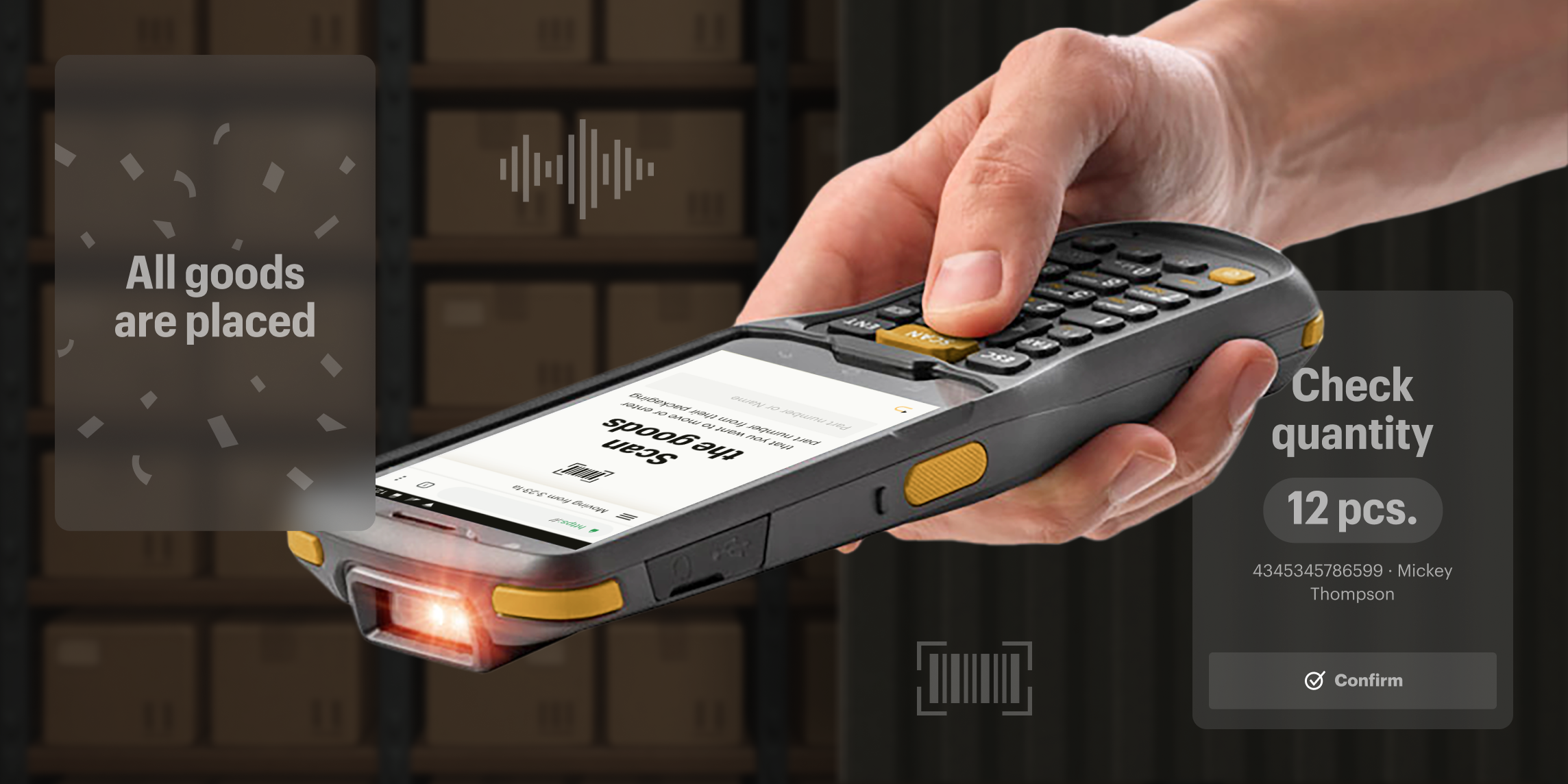
We designed an interface for the warehouse staff of an automotive parts marketplace. The system covers three key processes: goods receiving and putaway, stock movements and order picking. Operators use barcode scanners to handle these tasks, while the warehouse management system (WMS) guides them through each step.

At a fixed workstation, an operator might use a computer and a wireless barcode scanner. When moving around the warehouse, they'll have a handheld terminal with a built-in scanner or simply a smartphone. The interface needs to be straightforward on every device.
When designing audio feedback, you also need to think about where people will hear it. Is it a large, echoing warehouse or a small room with low ceilings? Will the sound come through powerful external speakers or tiny built-in ones?
The acoustics and equipment make all the difference between a useful audio cue and just another source of noise.

Most warehouse tasks are short, simple and repetitive. Our job was to help operators complete them quickly, avoid mistakes and keep track of stock.
We combined on-screen instructions with audio feedback. Written prompts help new employees learn the process, while experienced operators can rely more on sounds instead of constantly checking their screens.
There's an important difference between the scanner's beep and the system's audio feedback. The scanner tells you a barcode has been read. The software tells you whether the operation was successful — for example, whether a box has been placed in the correct storage bin or an error has occurred. A successful scan doesn't necessarily mean the task has been completed correctly.
Over time, the process becomes almost automatic. The scanner beeps, the operator keeps working, and the interface provides audio cues to let them know everything is going as expected. Beep, ping, buzz — no words needed.

Confirms successful actions. When a box has been placed in the correct storage bin, a short confirmation sound plays. The operator can move straight to the next task without checking the screen. Once an entire delivery has been put away, a longer sound signals that the process is complete.

Alerts operators to errors. If something goes wrong, a distinct warning sound plays. The operator knows to stop and check the screen. The sound should be short and easy to recognise, while the screen explains what went wrong.

Provides voice prompts. The system reads out the storage bin location where a box needs to go. This means operators don't have to keep looking at their handheld terminals.

There's usually no need to read out the entire location. That's mainly useful for new employees.
Keeps work moving. While the system reads out the next storage location, the operator can already carry on with the task. Fewer pauses, unnecessary movements and interruptions.
This matters particularly in warehouse UX design: using the screen is only a small part of the job. The actual work happens away from it.
Here are six things we've learned about designing audio feedback for warehouse software.
If operators can't hear a sound, it isn't doing its job.
In a noisy warehouse, even a loud but gentle sound can get lost among the rattling of trolleys and machinery. We initially chose a pleasant confirmation sound, but warehouse staff could barely hear it, even through powerful speakers.
Much of the background noise in warehouses comes from machinery operating at lower frequencies. Higher-pitched sounds can cut through that noise more easily, even on basic speakers. But push the pitch too high, and the sounds become tiring, especially towards the end of a shift.
It's all about finding the right balance and testing sounds on the actual equipment — from external speakers to handheld terminals.
Read also
Inventory management interfaces for an auto parts marketplace
If the hardware supports it, consider adding vibration as an alternative or a backup to audio alerts.
Haptic feedback can be particularly useful on handheld devices, whether the environment is very quiet or extremely noisy.
Important notifications should also have a visual equivalent. Operators still need to understand what's happening, even if they miss a sound.
When an action happens frequently, the audio cue needs to be as short and unobtrusive as possible. Otherwise, it starts slowing people down and quickly becomes annoying.
We also found that a quick chime works better than a voice saying "OK". People can recognise a familiar sound almost instantly, while spoken feedback takes longer to finish.
Voice prompts are still useful when the system needs to communicate specific information, such as which storage bin to use for a car part. But for a simple confirmation, a short sound is enough.
Audio feedback needs to be immediate. If an operator has time to look at the screen before the sound plays, it defeats the purpose.
For example, if confirmation of a barcode scan is delayed, the operator might assume it hasn't worked and scan the item again.
That's why it's important to test response times on real devices, use optimised audio files and, where possible, store them locally.
A sound that works perfectly through a designer's headphones might be completely wrong for the actual workplace.
At one point, we used applause to celebrate the completion of a delivery. A little "well done!" moment.
It seemed like a nice idea, but through the warehouse speakers, the applause turned into a long, indistinct burst of noise.
So we replaced it with a shorter sound and adjusted it to work better with the speakers.
That's why testing an interface in Figma or on a developer's computer isn't enough. You need to hear the sounds where they'll actually be used — surrounded by machinery, scanners and dozens of repetitive tasks.

Sounds should be distinct, but not random. Success and error alerts need to sound different while still feeling like part of the same system.
For a warehouse management system, you might have separate audio cues for successful actions, errors, warnings and completed tasks. Each should have its own recognisable sound.
Think of it as part of the product's design system. Audio cues should be just as consistent and predictable as status indicators, icons and on-screen messages.
Well-designed audio feedback helps warehouse staff spend less time looking at screens and understand what's happening in the system more quickly. But sounds alone won't fix a confusing interface.
First, you need to understand how people receive, move and pick goods, where mistakes tend to happen and what information they actually need.
Only then can you decide where a quick sound is enough, where a voice prompt would help and where the workflow itself needs rethinking.
That's how we approach interface design for warehouse operations and automotive parts marketplaces: we start by understanding how people actually work, then design solutions that help them get things done faster and with fewer mistakes.

How we halved supplier delays at a marketplace warehouse

Product Discovery: why finding the right solution matters more than development
We redesign the terminal interface, create a manual and update the navigation in the drop-off area

We designed interfaces for the international auto parts marketplace
Digital product development
for scalable web and mobile products. UI/UX design, development, and end-to-end delivery
By clicking the button I agree to the Privacy Policy
Message sent
We'll get back to you soon